> ## Documentation Index
> Fetch the complete documentation index at: https://docs.seekout.com/llms.txt
> Use this file to discover all available pages before exploring further.
# Connect SeekOut to ChatGPT
> Connect SeekOut to ChatGPT from the app directory.
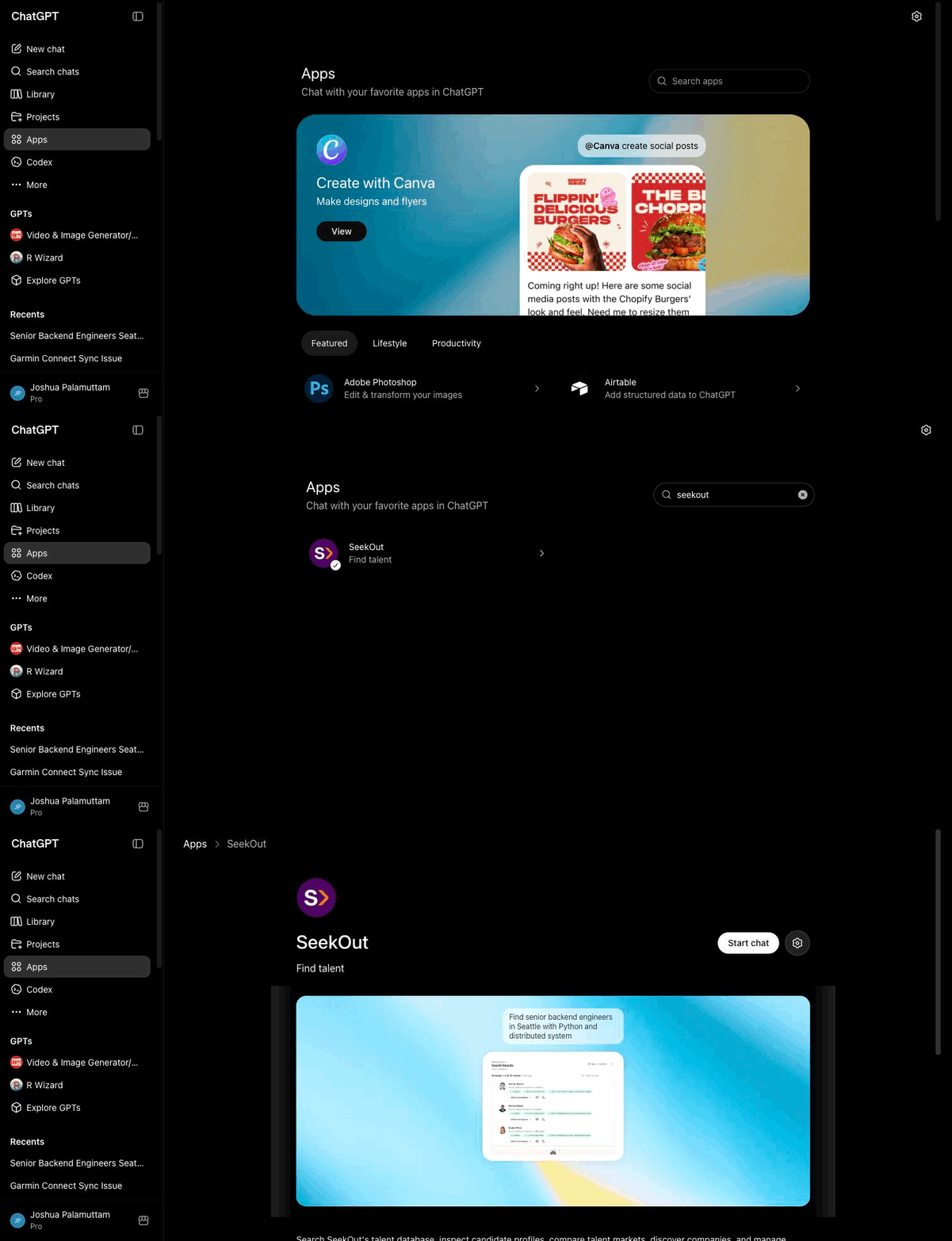
Install SeekOut from the ChatGPT Apps directory, then authorize it with your SeekOut account.
## Prerequisites
* An active SeekOut account
* A ChatGPT account (Plus, Team, or Enterprise; app availability may vary by plan)
## Setup
[Open SeekOut in the ChatGPT Apps directory](https://chatgpt.com/apps/seekout/asdk_app_69f8dfd382048191829f4025e39c853e).
Click **Connect** when ChatGPT prompts you to add the SeekOut app to your account.
Complete the SeekOut sign-in flow when prompted to authorize ChatGPT to access your SeekOut account.
Ask ChatGPT to use SeekOut, or start your request with `@SeekOut`:
@SeekOut find product managers in Chicago with fintech experience.
If you're on a **managed ChatGPT workspace** (Team or Enterprise), your ChatGPT admin controls which apps are available. If the link above is unavailable or the app doesn't appear, ask your admin to allow **SeekOut** from the ChatGPT Apps settings.
## Walkthrough
Open the published SeekOut app in ChatGPT.