

Prerequisites
- A SeekOut Recruit license
- A supported AI assistant or MCP client
Connect in four steps
Choose your assistant or tool
Add SeekOut MCP
Sign in to SeekOut
Run your first search
Find senior product managers in Seattle with fintech experience.
Choose where to connect
Claude
ChatGPT
Codex
Claude Code
Gemini Enterprise
Antigravity
Microsoft 365 Copilot
Amazon Quick
Developer and desktop tools
Five scenarios for your week
Once you’re connected, try these scenarios. Copy a prompt, change the variables, and use the follow-up to refine the result.1. Analyze a talent market
Give me a talent market analysis for Staff ML Engineer in Boston with 8+ years. Show pool size, top employers, common skills, and which requirements are narrowing the field. Tell me what would expand the pool if we need to broaden the spec.
Compare Boston with Seattle and Austin at the relaxed spec. Where does the supply widen most?
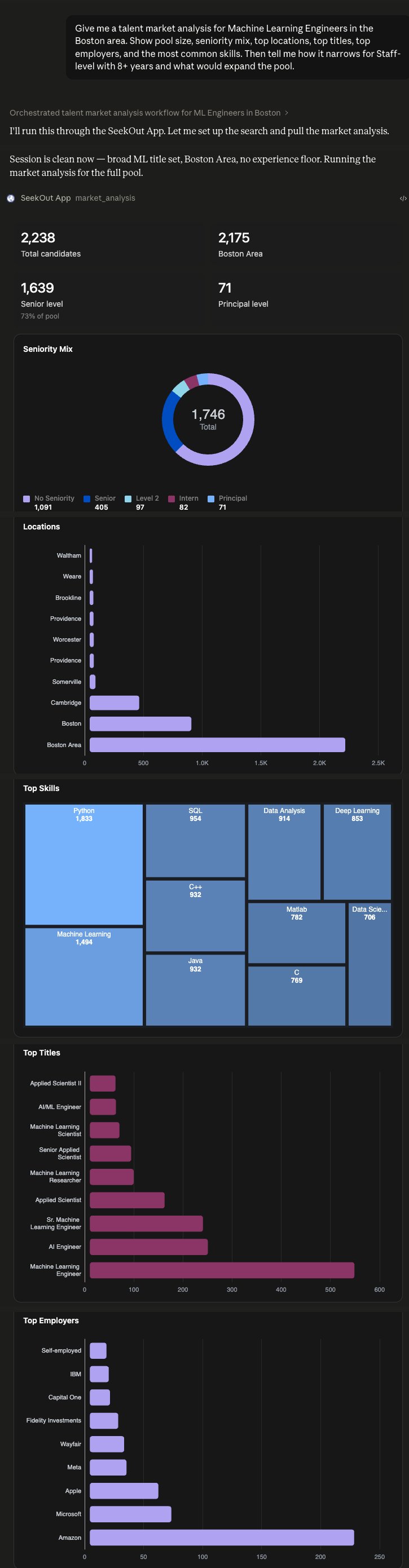
Real result in Claude — market dashboard: pool size, seniority mix, locations, top titles, employers & skills. Click to enlarge.
2. Build a cross-pool shortlist
Find senior React engineers in NYC with 5+ years and TypeScript expertise — one ranked list with match reasons. If our ATS is connected, fold in anyone already in our pipeline too.
Show me the top 10 with a one-line summary of what makes each strong.
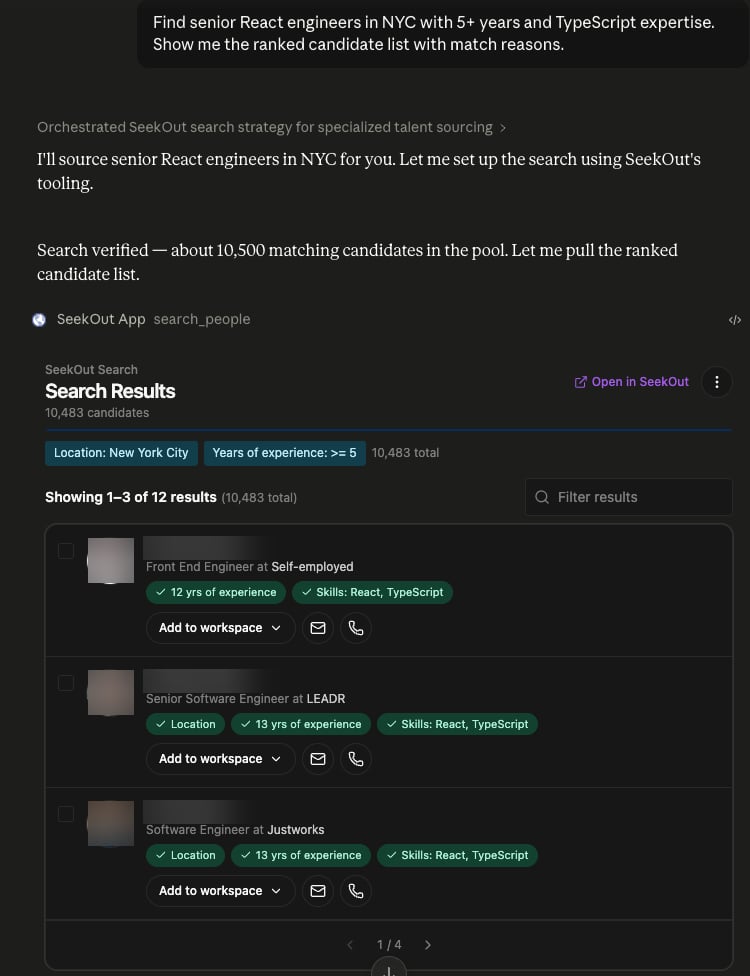
Real result in Claude — ranked candidate shortlist with match reasons and one-click actions. Click to enlarge.
3. Draft personalized outreach
Draft warm outreach to the top React candidate. Reference one real detail from their background, keep it senior-IC in tone, and give me a couple of angles to choose from — show me the draft before any send.
Tighten it to three sentences, and draft a short LinkedIn InMail version too.
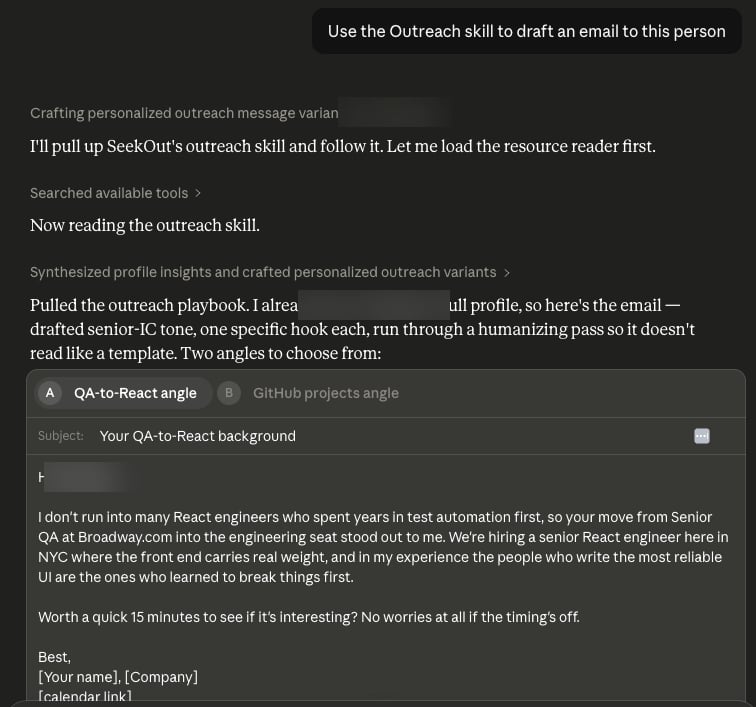
Real result in Claude — a personalized outreach email (two angles), grounded in the candidate's profile and ready to open in your mail client. Click to enlarge.
4. Assess candidate fit
Score the top candidate against our Senior Platform Engineer role on (1) platform depth in production (AWS, Kubernetes, IaC), (2) senior-level scope, (3) market fit. Compare side-by-side with three alternates.
Re-run at the 8–15-year band and prioritise anyone with explicit search-infrastructure or vector-DB experience. Compare to today's top 4.
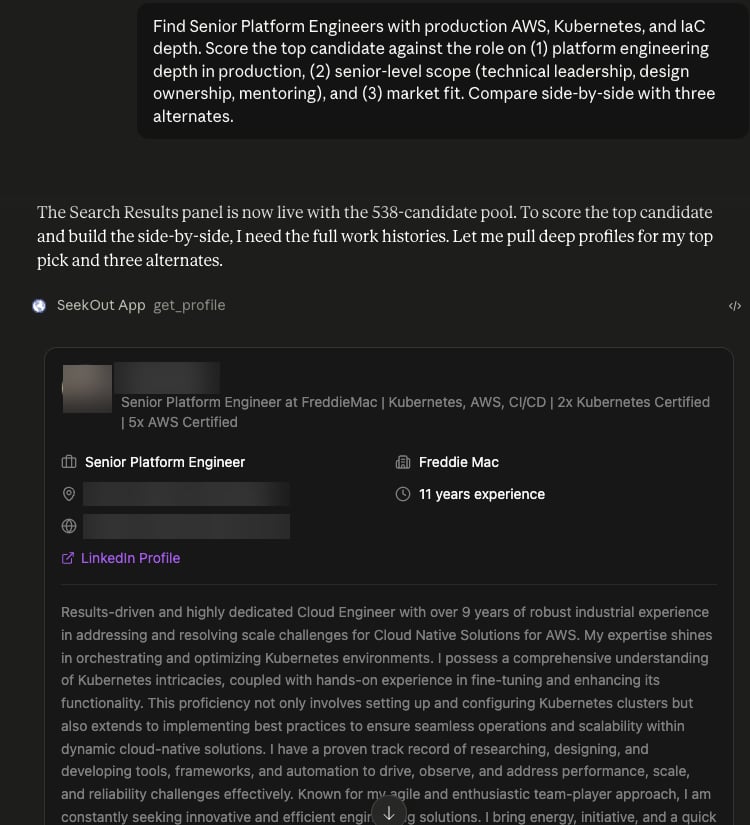
Real result in Claude — candidate profile scored against the role for a side-by-side comparison. Click to enlarge.
5. Prepare a shortlist for outreach
Take action on the top 3 from our React shortlist. Verify contacts and save them to a new workspace called Senior React — NYC [quarter and year] so they're ready for outreach.
Export the saved shortlist to a sheet I can share with the hiring manager.
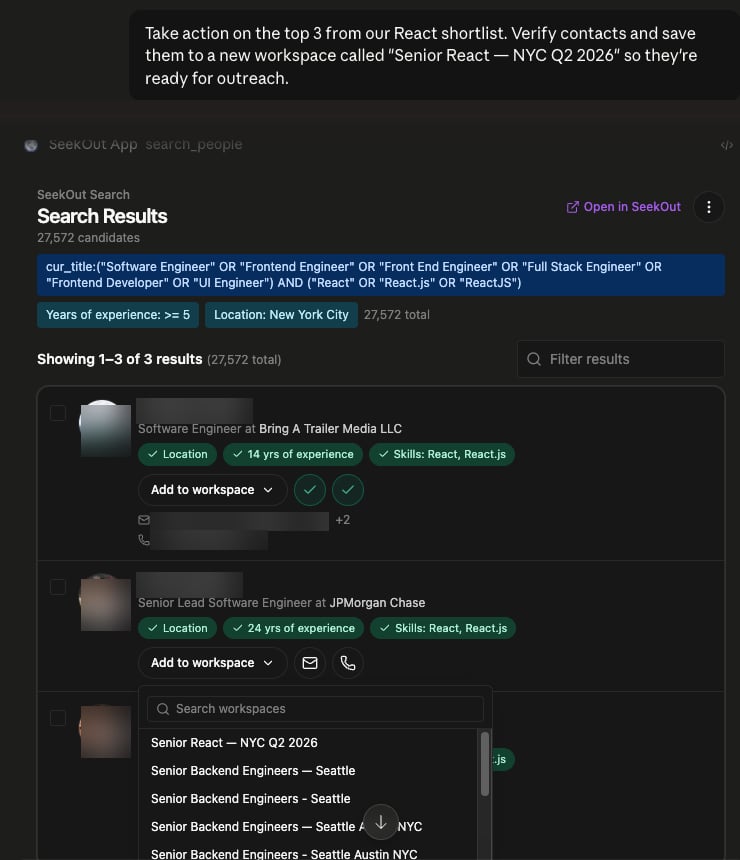
Real result in Claude — act right on the results: verified contacts and a one-click save to the ‘Senior React — NYC Q2 2026’ workspace. Click to enlarge.